Does Instagram have a step count sticker?
No. Instagram's Story stickers include things like location, music, polls and time, but nothing that reads your steps. Your step count lives in Apple Health on your iPhone, and Instagram can't read Apple Health. To show your steps, you add them as an image — either a finished story card or a transparent sticker you paste on top of your own photo.
How do I share today's steps as a story card?
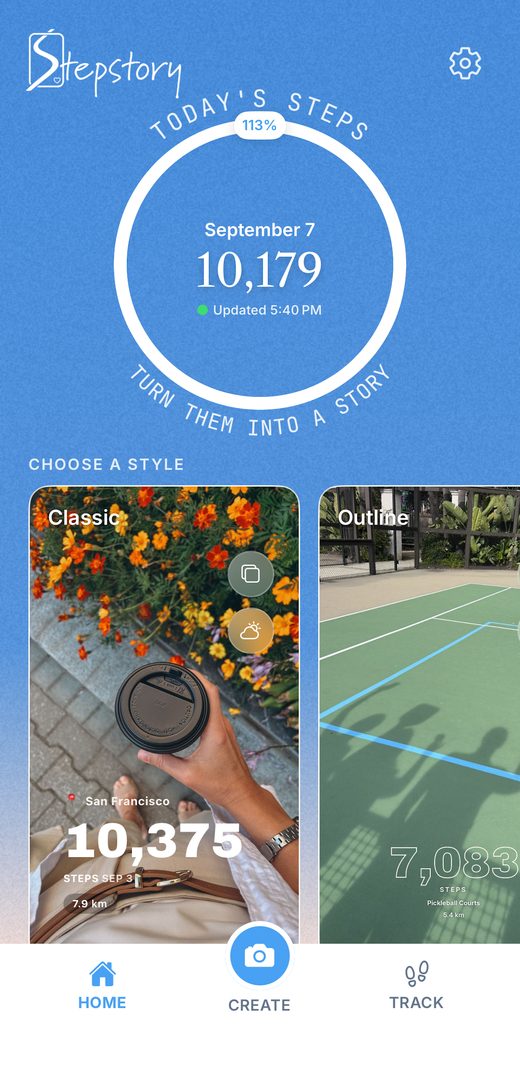
- Download Stepstory and allow it to read your steps from Apple Health.
- On the Home screen, tap Choose Photo and pick a photo from your walk.
- Choose a style. Your steps, distance and date fill in automatically, and you can add where you walked and the weather.
- Share to Instagram Stories. The card opens in Instagram ready to post.


How do I put my steps on top of my own photo or video?
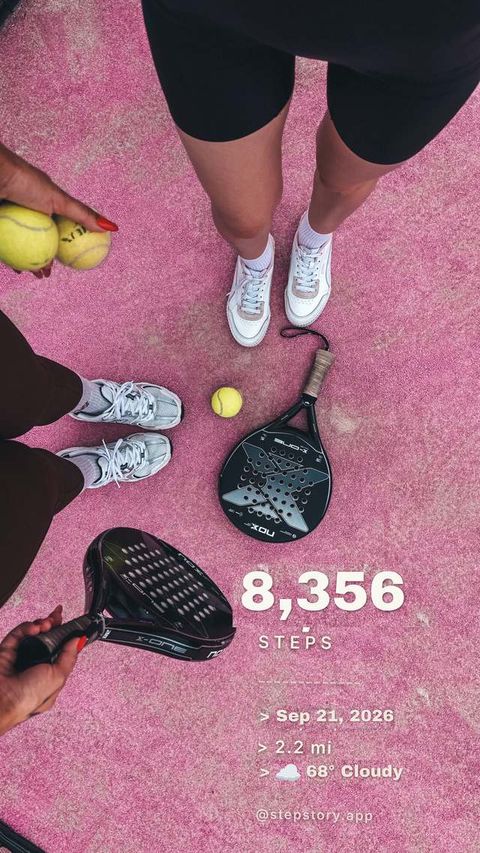
Use a transparent sticker. This works on any Story — a photo, a video, or something you shot in Instagram's camera.
- In Stepstory, tap Copy Sticker. Your stats are copied as a transparent image.
- Open Instagram and start a Story with any photo or video.
- Instagram usually shows an Add sticker prompt for the copied image. If it doesn't, tap the text tool (Aa), press and hold, and choose Paste.
- Drag and pinch to place the sticker, then post.

Can I just screenshot Apple Health instead?
You can, but a Health screenshot shows the app's interface, charts and menus, not something designed for a Story. Stepstory gives you a clean card or sticker sized for Stories, with your photo in the background.
Do I need an Apple Watch?
No. Your iPhone counts steps on its own and saves them to Apple Health. If you wear an Apple Watch, Health combines both, and Stepstory reads the combined total.
Is my health data uploaded anywhere?
No. Stepstory has no accounts, no ads and no server. Your steps and photos stay on your iPhone. If you turn on weather, only your approximate location is used to look up current conditions. Privacy policy.
Is Stepstory free?
Yes. It's free on the App Store for iPhone, with no subscription and no in-app purchases.